Google Business Profile Post Views Are Back: What They Show and How to Check Them
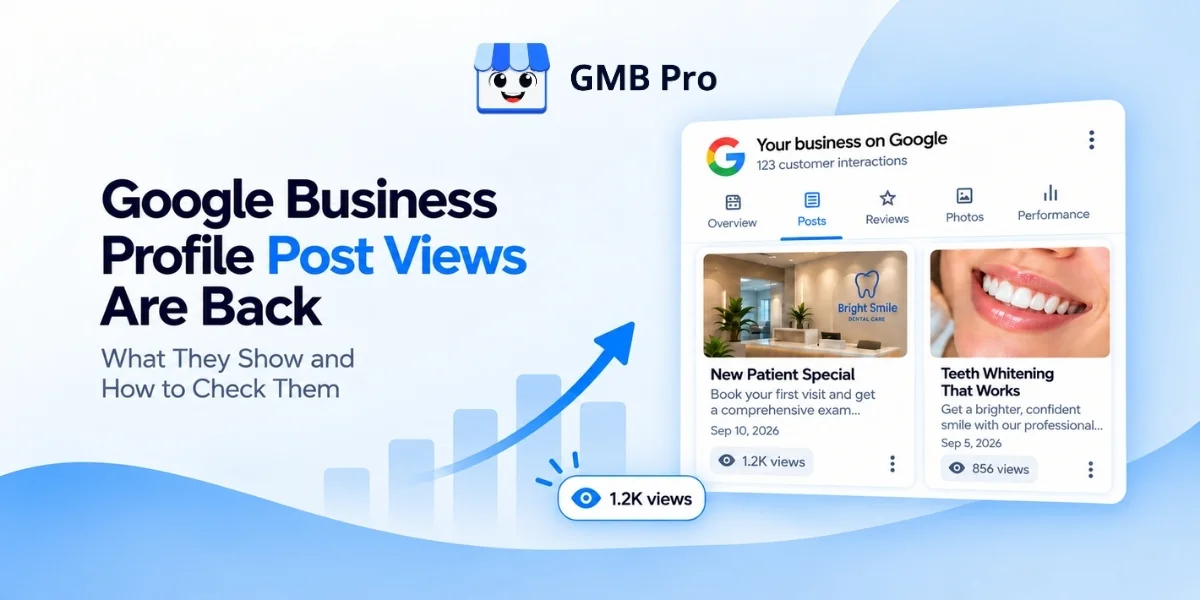
For three and a half years, publishing a post on Google Business Profile meant guessing whether anyone actually saw it. Google removed post view counts in February 2023 and never replaced them. That changed this month. In its September 2026 Small Business Bulletin, Google confirmed that post view counts are rolling out globally, bringing a per-post visibility number back into the dashboard for the first time since 2023.This guide explains exactly what is returning, what it does not tell you, how to check it on your own profile, and what it likely means, and does not mean, for your local ranking. Because Google is still rolling this out, some details are not yet confirmed. We have flagged every one of those clearly so you know what is fact and what is still open.Key Facts At a Glance:Google announced the change in its September 2026 Small Business Bulletin, posted to the Business Profile Help Community by Google employee Lisa Landsman.Google calls the feature Google Posts Reporting and describes it as one of its most requested features.View counts cover posts published in the previous 18 months, on a rolling basis.The count applies to all post types: updates, offers, and events.Views are combined from Google Search and Google Maps into one single number per post.The feature is rolling out globally but is not yet available in the Business Profile API.Post button clicks have not returned, only views.What Happened: Post View Counts Are Rolling Out GloballyGoogle's September 2026 Small Business Bulletin, titled "Track your Google Post views," confirmed that businesses can now see how many times local customers viewed each individual post. Google describes the reporting as covering three specific things.Posts published over the previous 18 months, on a rolling basis.All post types, including updates, offers, and events.Views from both Google Search and Google Maps, combined into one number.The bulletin states the feature is "currently rolling out globally, not yet available in the API." That phrasing matters. It means the rollout applies worldwide, but it is landing gradually account by account, and it means the numbers are only visible inside the Business Profile dashboard itself, not through any connected reporting tool.This is also why choosing the right google business profile management software matters when new data points become available.The change was not a total surprise. In August 2026, a screenshot circulated on social media showing view counts on posts for one account while other users could not see the same feature, which pointed to a limited test running ahead of the official announcement. The September bulletin formalized what had looked like an early experiment into a scoped, global rollout.What Counts as a "View," Exactly?Google has not defined what counts as a post view. This is the single most important caveat in the entire announcement, and it is worth sitting with before you start comparing numbers across posts.There are two very different ways a "view" could be counted. It could count each unique person only once, no matter how many times they scroll past the same post. Or it could count every single appearance, so one person scrolling past a post three times in a day would add three to the total. These two definitions can produce dramatically different numbers for the exact same amount of real attention.For comparison, Google's existing Profile Views metric in the Business Profile Performance report counts each person once per day. It is reasonable to guess that post views could follow a similar logic, but Google has not confirmed this for posts specifically, and the help pages for posts had not been updated to define it as of this feature's initial rollout. Treat the number as a useful relative signal for now, this post got more attention than that one, rather than a precise count you can plug into a spreadsheet formula with full confidence.How to Check Post View Counts on Your ProfileThere is no new menu or separate report to learn. The count appears directly where you already manage your posts.Sign in to your Google Business Profile using the Google account that manages your listing.Select "Posts" from the dashboard menu.Look at each post card. If the rollout has reached your account, you will see a view count printed directly on the card, alongside the post's content and date.Check posts from the last 18 months. Anything older will not display a count, since that is the outer edge of the reporting window.If you manage more than one location, you currently need to check each profile individually, since this data is not yet available through the API or any connected multi-location dashboard.A Short History: Why This Data Disappeared, and How It Came BackContext helps here, because this is not the first time Google has changed what it measures on Business Profile. Here is the timeline as reported.DateWhat HappenedFebruary 20, 2023Google discontinues post views, post button clicks, and photo view counts as part of its migration to the Business Profile Performance API, with no replacement listed.August 2025Google refreshes its post creation tool, giving business owners one consolidated place to see and manage everything they have published.November 2025Google adds the ability to schedule posts in advance and publish the same post to multiple locations at once.March 25, 2026Google adds an Offers metric, covering views and clicks, to the Business Profile Performance report.August 2026A screenshot circulates showing post view counts live on one account while other accounts do not have it, suggesting a limited test.September 10, 2026Google's Small Business Bulletin confirms post view counts as "Google Posts Reporting," rolling out globally, not yet in the API.Seen as a sequence, this looks less like a single isolated feature and more like Google steadily rebuilding measurement around Posts over the past year, from a better creation tool, to scheduling and bulk publishing, to now a visibility metric. Whether that trend continues toward richer reporting, or toward API access, is not something Google has stated, but the pattern is worth watching.What This Data Does Not Tell YouIt is easy to over-read a new number the moment it appears. Before you do, keep these limits in mind.LimitationWhat This Means for YouNo click dataYou can see that a post was viewed, but not whether anyone tapped the button, called, or visited your website because of it.No confirmed definition of "view"Comparing exact numbers across posts, or across businesses, should be treated as directional, not precise, until Google clarifies the counting method.Not in the APIAgencies and multi-location brands cannot pull this into a centralized dashboard yet. It has to be checked manually, profile by profile.18-month window onlyOlder posts, even ones that performed well at the time, will not show historical view data now.Gradual rolloutNot every account has the feature yet, so an absence of a view count on your posts does not necessarily mean anything is wrong.Do Post Views Affect Local Ranking?Google has never confirmed that publishing posts, or the views they receive, directly influences where your profile ranks in local search. Independent ranking factor research, such as the studies local SEO firm Whitespark runs each year, has generally placed Posts well down the list of signals that move a listing up the map pack, behind categories, reviews, and proximity.For a deeper breakdown, read this guide on google business profile ranking factors.The more accurate way to think about Posts, including this new view data, is as an engagement and activity signal rather than a lever you pull to directly climb rankings. An active, regularly updated profile tends to correlate with a business that is also collecting reviews, keeping photos current, and answering messages promptly, all of which matter more for ranking on their own. Post views are a useful window into whether your content is landing with the people already looking at your profile, not a shortcut to outranking a competitor.Post Views vs Other Google Business Profile MetricsPost view counts are one piece of a bigger measurement picture. Here is where they sit relative to the metrics you may already track in the Business Profile Performance report.MetricWhat It MeasuresWhere to Find ItPost viewsHow many times a specific post was seen across Search and Maps, past 18 monthsIndividual post card in the Posts sectionProfile viewsHow many times your overall listing was viewed, counted once per person per dayPerformance reportSearch queriesThe actual terms people typed before finding your profilePerformance reportCalls, website clicks, direction requestsDirect actions taken from your profile as a wholePerformance reportOffers metricViews and clicks specifically on Offer-type posts, added March 2026Performance reportNotice the gap: the Offers metric already tracked views and clicks for one specific post type. The new Post Views feature extends visibility, but not clicks, across every post type. That is a meaningful but partial fix, and it is worth watching whether Google eventually brings click data to updates and events as well.How to Actually Use Post View CountsOnce the feature reaches your profile, here is how to put the number to work rather than just glancing at it.Compare post types against each other. Do service highlights consistently out-view offers, or the reverse? Let a few months of real data guide what you post more of.Watch for posting-time patterns. If you post at different times or days, note which slots tend to produce stronger early view counts.Treat it as one input, not the whole picture. A high-view post that generates no calls or bookings is still worth questioning. Pair post views with your overall calls, clicks, and direction requests to judge real impact.Keep a simple running log. Since this data is not yet in the API, a basic spreadsheet with post date, type, topic, and view count is enough to spot trends manually until automated reporting catches up.Do not focus only on increasing the number. Given the ambiguity around how a view is counted, use it to compare your own posts against each other over time, not as a precise external benchmark.What This Means for Agencies and Multi-Location BusinessesThe rollout is genuinely useful, but it lands with a real gap for anyone managing more than a handful of profiles. Because the data is not available through the Business Profile API, there is currently no way to pull post view counts into a centralized dashboard automatically. An agency managing fifty client profiles, or a brand managing fifty locations, has to open each profile individually to see this number.That is a manual, repetitive task, which is exactly the kind of work tools like GMB Pro's automated reporting exist to remove once the underlying data is programmatically accessible. Until Google opens post views up through the API, GMB Pro continues to track the profile-level metrics that are already available, calls, clicks, direction requests, and review activity, across every location from one dashboard, so you are not flying blind while this specific feature matures. We will add post-level view reporting to that dashboard as soon as Google makes it available through the API.Final ThoughtsPost view counts fill a measurement gap that local marketers have complained about since Google removed the original metric in 2023. It is a genuinely useful addition, but the honest picture is that it arrives with real limits: no click data, no confirmed definition of a view, no API access yet, and a rollout that has not reached every account. Use the number as one more signal for what is landing with your audience, not as a final verdict on any single post.If you would rather not check post cards one by one across every location you manage, GMB Pro's post scheduling and automated reporting already track the profile-level metrics Google exposes today, across every listing from a single dashboard. Try it free for 14 days, no credit card required, at gmbpro.io.Sources: Google's September 2026 Small Business Bulletin on the Business Profile Help Community Google's Business Profile API deprecation schedule Google's help page for PostsGoogle's Performance metrics help page Search Engine Journal, September 10, 2026

Sachin Jangir
Founder